Which Printer Labels do I need?
Finding the correct labels for your printer can be confusing as there are quite a few different labels available on the market. Each set of labels is compatible with a different printer.
Thankfully you can use this visual guide to easily find the right labels for your printer.
If you're still having a little trouble don't hesitate to give us a call on 07 3271 4588.
There are 2 different types of printers used for testing and tagging
Thermal Transfer Printers
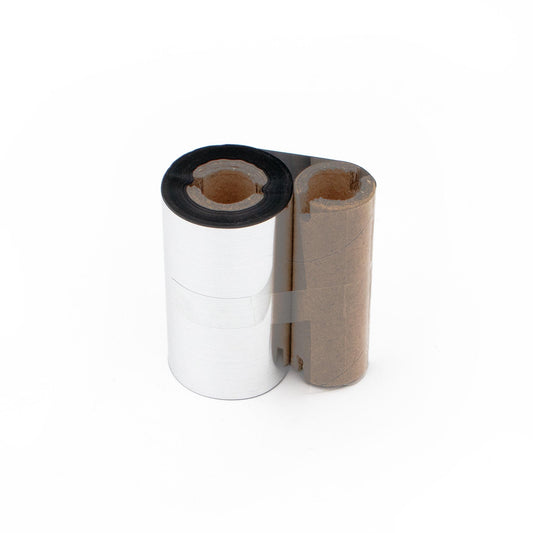
Thermal transfer Printers need labels and a ribbon (Resin Based In on a Film) to print the tags.
Direct thermal Printer
Direct thermal Printers only need labels as the ink is inside the labels already. The text is not UV resistant in direct thermal printers unless using UV resistant labels where available.
Durability
All labels are plastic, durable, water resistant and suitable for most environments.
If you're working in construction or another extremely rough environment, you might want to consider our laminating overlays. These labels fix over the top of your existing label and provide added protection against abrasion and tearing.
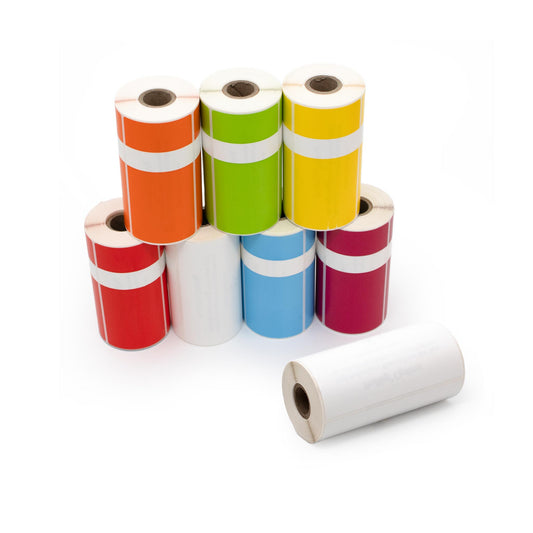
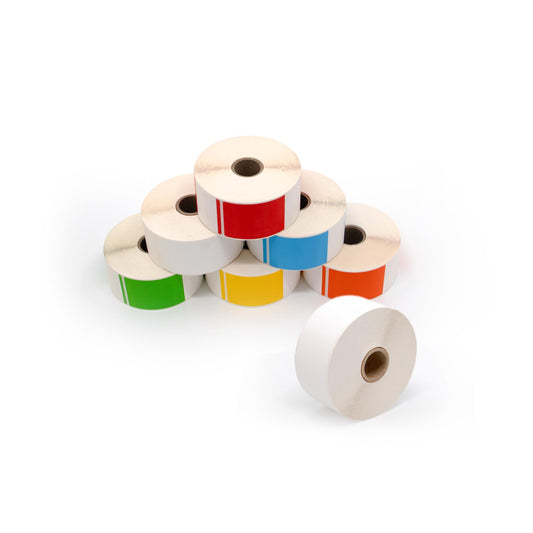
| Printer | Labels | Ribbon | Alternative |
|---|---|---|---|
|
Zebra ZQ520/521 Seaward/Protag XL  |
|
No ribbon required |
|
|
Zebra 2824 |
|
|
Heavy Duty Metrel/Zebra/Wavecom Labels
|
|
Zebra P4T Optima Elite / Optima II |
|
|
Optima Elite Labels
|
|
Met-Tag Printer TSC TC200 and other models |
|
|
|
|
Wavecom Printers |
|
|
|
|
|
|
|
Heavy Duty Metrel/Zebra/Wavecom Labels
|
|
Toshiba Protag Optima II |
|
No ribbon required | |
|
Pac OPT
|
|
No ribbon required | |
|
|
|
|
|
|
Protag Lite TSC OJ Pro |
|
Full Resin 110mm x 300m Ribbon
|